Build an uncensored AI assistant with persistent memory using n8n automation, vector databases, and privacy-focused web search
Traditional AI assistants lose memory between sessions and have limited web access. JOSIE solves both problems with a three-tier architecture using open-source tools: n8n workflow automation, Qdrant vector database for persistent memory, and SearXNG for unlimited web search, with complete data privacy.
Key takeaways
- Three-tier local architecture: JOSIE combines n8n workflow automation, Qdrant vector memory, and SearXNG private search into one self-hosted system with zero cloud dependency.
- Persistent semantic memory: Every conversation and uploaded document is embedded with mxbai-embed-large and stored in Qdrant, so JOSIE recalls context by meaning across sessions.
- Unlimited private web search: SearXNG aggregates Google, Bing, and DuckDuckGo results locally with no API costs, no rate limits, and zero query tracking.
- 40K context window: JOSIEFIED-Qwen3:8b runs on Ollama with 40,000 tokens of context and tool-calling support, all on consumer hardware with around 16 GB of RAM and 11 GB of VRAM.
- Open-source stack: Every component (n8n, Qdrant, Ollama, SearXNG) is free and self-hostable, avoiding per-token costs and vendor lock-in.
- GDPR-friendly by design: No prompts, documents, or queries leave your network, making air-gapped enterprise and personal deployments straightforward.
What is JOSIE's architecture?
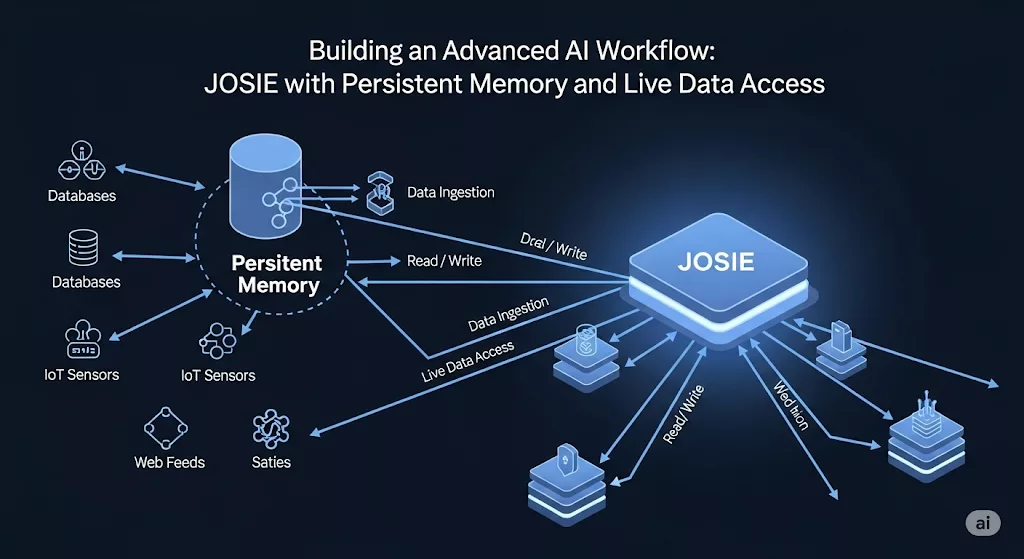
JOSIE’s architecture demonstrates how modern autonomous AI systems combine multiple protocols and components into a coherent, privacy-preserving whole. Similar to Agent Zero’s approach to multi-agent hierarchies and protocol integration, JOSIE leverages standardized HTTP interfaces for tool integration and workflow coordination.
The three layers are independent but complementary. Ollama handles local inference and embedding generation, keeping all compute on your own hardware. Qdrant stores and retrieves vector representations of every past interaction, giving the system a semantic long-term memory that persists between restarts. n8n ties the layers together with a visual workflow engine that decides, on each incoming query, whether to pull from stored memory, hit the web via SearXNG, or search uploaded documents. Because each component communicates over standard HTTP APIs, you can swap individual pieces without rebuilding the whole pipeline.
Component 1: JOSIEFIED-Qwen3:8b Language Model
Built on Alibaba’s Qwen3 with 8.19B parameters and 40K context window:
- Advanced Intelligence, Superior reasoning on Qwen3 architecture
- Extended Context, 40K tokens for lengthy documents and conversations
- Tool Integration, External API support with reduced filtering
- Local Processing, Complete privacy via Ollama, which enables running powerful AI models on your own hardware
Component 2: Qdrant Vector Database for Persistent Memory
Qdrant creates persistent memory through semantic search:
- Document Processing, PDF uploads with 200-character chunks, 50-character overlap using mxbai-embed-large:335m embeddings
- Conversation Memory, Every interaction stored with rich metadata via LangChain
- Advanced Retrieval, Context retrieval (top-K: 3) for documents, memory retrieval (top-K: 50) for conversations
- Optimized Storage, Vector quantization reduces RAM by 97% with sub-second searches
Component 3: SearXNG Privacy-Focused Web Search
SearXNG provides unlimited, privacy-focused web search:
- Unlimited Queries, No rate limits or API costs
- Privacy Protection, Zero tracking, no data retention
- Multi-Engine, Aggregates Google, Bing, DuckDuckGo results
- JSON API, Clean integration for AI workflows
What workflow features does JOSIE include?
The n8n workflow is the decision layer that makes JOSIE feel coherent rather than just fast. Every incoming message passes through a routing switch that categorizes the request and selects the right tool automatically. Three capabilities work together: smart routing picks the appropriate data source without manual prompting, session state persists conversation context across multiple exchanges, and graceful error handling degrades cleanly when any one component is unavailable. The result is an assistant that behaves consistently even when hardware or network conditions vary.
- Smart Tool Selection, Automatic web search, memory retrieval, or document access based on query context using n8n conditional logic
- Session Management, Persistent conversations with analytics via n8n execution data
- Error Handling, Graceful degradation using n8n error workflows
What are JOSIE's real-world use cases?
Personal knowledge management: Upload PDFs and query them conversationally. Every exchange is embedded and stored, so you can ask JOSIE what you read three weeks ago and get a semantically relevant answer rather than a keyword hit. The interaction history becomes its own searchable knowledge base over time.
Business intelligence: Maintain project context across weeks of meetings, combine stored internal knowledge with live web data, and give customer-support workflows a memory that persists between agent restarts. Because everything stays local, sensitive business data never passes through a third-party API.
Education and research: Track learning progress across sessions, surface relevant passages from uploaded academic papers, and combine stored domain knowledge with current information retrieved via SearXNG. JOSIE keeps pace with fast-moving fields because its web access is unlimited and uncharged per query.
How does JOSIE protect your privacy and security?
JOSIE prioritizes user privacy through local processing and encrypted storage. For complete context on AI data privacy challenges and best practices, including GDPR compliance, consent frameworks, and privacy-preserving technologies, see our comprehensive guide on data protection in AI systems.
- Complete Control, Local AI processing, no data leaves your network
- GDPR Compliance, Air-gapped deployment options for sensitive data
- Enterprise Security, Isolated environment with comprehensive audit logs
How do you install JOSIE step by step?
Prerequisites: Docker and roughly 16 GB of RAM to run the 8B model alongside Qdrant comfortably. JOSIE is built bottom-up: stand up the three services, then let n8n orchestrate them.
Step 1: The brain (Ollama plus the JOSIEFIED model)
Ollama runs the language model and the embedding model locally, so nothing leaves your machine. Full walkthrough in my Ollama self-hosting guide.
# install Ollama (Linux / macOS)
curl -fsSL https://ollama.com/install.sh | sh

# the uncensored, tool-tuned model that reasons (8B, 40K context)
ollama pull goekdenizguelmez/JOSIEFIED-Qwen3:8b

# the embedding model that powers memory search
ollama pull mxbai-embed-large
Step 2: The memory (Qdrant vector database)
Qdrant stores every conversation and document as vectors, so JOSIE recalls by meaning, not keyword. One container:
# run Qdrant, persisting data to ./qdrant_storage
docker run -p 6333:6333 -p 6334:6334 \
  -v "$(pwd)/qdrant_storage:/qdrant/storage" \
  qdrant/qdrant
The dashboard lives at http://localhost:6333/dashboard. See the Qdrant quickstart for cloud and clustering options.
Step 3: The eyes (SearXNG private web search)
SearXNG gives JOSIE unlimited, untracked web access with a clean JSON API. Full setup in my SearXNG self-hosting guide. Enable the JSON format so n8n can read results:
# searxng/settings.yml
search:
  formats:
    - html
    - json
Step 4: The conductor (n8n wires it together)
n8n is the workflow engine that routes each query to the right tool: web search, memory, or document lookup. Stand it up with my n8n self-hosting guide, then build the JOSIE flow:
# run n8n, persisting workflows to a named volume
docker volume create n8n_data
docker run -d --name n8n -p 5678:5678 \
  -v n8n_data:/home/node/.n8n \
  docker.n8n.io/n8nio/n8n
In n8n, add credentials for Ollama (http://localhost:11434), Qdrant (http://localhost:6333), and SearXNG, then wire four moves:
- Trigger to router. A chat trigger feeds a Switch node that reads the query and picks the tool.
- Remember. A Qdrant node retrieves the top matches (top-K 3 for documents, 50 for conversation history) and passes them to the model as context.
- Search when needed. For fresh facts, an HTTP Request node hits SearXNG's JSON API and hands results to the model.
- Answer and store. The model replies, and every exchange is embedded with mxbai-embed-large and written back to Qdrant, so JOSIE remembers next time.
Performance: fully local, sub-second vector search, and Kubernetes-ready when you outgrow a single box.
Frequently asked questions
What does JOSIE stand for?
JOSIE is short for "Just One Super Intelligent Entity." It is a self-hosted AI assistant that combines a local language model, a vector-database memory, and private web search into one n8n workflow.
What hardware do I need to run JOSIE?
A machine with Docker and about 16 GB of RAM runs the 8B JOSIEFIED-Qwen3 model alongside Qdrant comfortably. A GPU with at least 11 GB of VRAM works well, and smaller quantized tags such as q4_k_m let JOSIE run on less RAM.
How does JOSIE remember across sessions?
Every conversation and uploaded document is embedded with mxbai-embed-large and stored in Qdrant. On each new query, JOSIE retrieves the most semantically relevant chunks and feeds them back as context, so memory persists between sessions instead of resetting.
Is JOSIE private?
Yes. The model, embeddings, memory, and search all run on your own hardware. No prompts, documents, or queries leave your network, which makes air-gapped, GDPR-friendly deployments possible.
Can I swap in a different model?
Any Ollama-compatible model works. Point the n8n Ollama node at a different tag, such as a larger Qwen3 or a Llama 3 variant. JOSIEFIED-Qwen3:8b is the default because it is tool-tuned and lightly filtered, with a 40K-token context window.
How is JOSIE different from ChatGPT or a cloud assistant?
Cloud assistants forget between sessions, cap web access, and send your data to a vendor. JOSIE keeps persistent memory, gives unlimited private web search through SearXNG, and runs entirely local with no per-token cost or lock-in.
Conclusion
JOSIE delivers privacy-preserving AI that grows smarter with every interaction. Combining advanced language models, persistent memory, and unlimited web access creates autonomous assistance without vendor lock-in. Start with the n8n documentation and explore AI workflow automation.
Essential Resources
- n8n Workflow Automation, Open-source workflow automation platform
- Qdrant Vector Database, High-performance vector similarity search
- Ollama Local AI, Run large language models locally
- SearXNG Metasearch, Privacy-respecting search engine
- LangChain, Framework for building LLM applications
- Qwen Models, Alibaba open-source language models
Last updated: June 2026