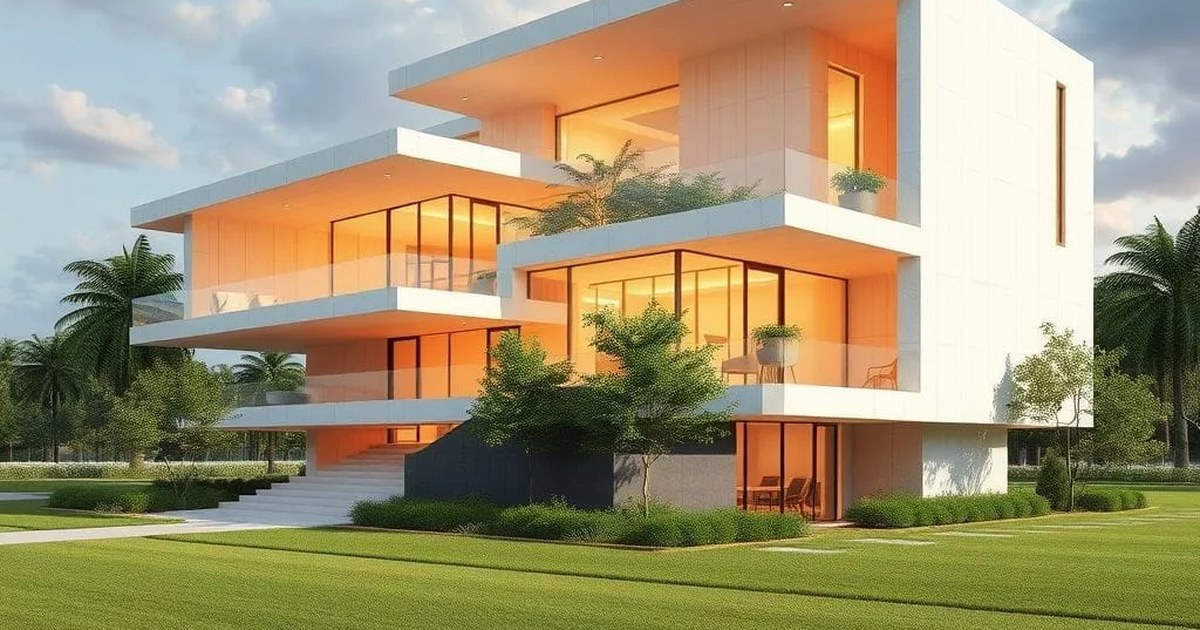
- Enscape and Twinmotion are local renderers: they need RTX 4070 Super class GPUs or better but give you full control and no streaming dependency.
- Workshop XR and Resolve BIM are cloud-streamed: no workstation GPU needed, but session quality depends on network bandwidth and vendor cloud capacity.
- Enscape has the tightest BIM plugin integration (Revit, SketchUp, Rhino, Vectorworks, ArchiCAD) with a live link that updates the VR scene as you model.
- Twinmotion is the strongest for cinematic renders, animations, and real-time ray tracing alongside VR.
- Workshop XR is included in some Autodesk AEC Collection plans. Resolve BIM is a separate subscription; both suit multi-party or remote review scenarios.
Side-by-side comparison
| Enscape | Twinmotion | Workshop XR | Resolve BIM | |
|---|---|---|---|---|
| Rendering | Local GPU (workstation) | Local GPU (workstation) | Cloud / server-side | Cloud / server-side |
| BIM integration | Live plugin link: Revit, SketchUp, Rhino, Vectorworks, ArchiCAD | Direct Link: Revit, ArchiCAD, SketchUp, Rhino; export for others | Revit, Navisworks, RVT/NWD upload | Revit, IFC, NWD upload |
| VR headsets | Meta Quest (Link/Air Link), PCVR | Meta Quest (Link/Air Link), PCVR | Meta Quest (standalone), HoloLens 2 | Meta Quest (standalone) |
| Multi-user sessions | Limited (screen share) | Limited (screen share) | Yes, avatar presence | Yes, avatar presence |
| GPU requirement | RTX 4070+ recommended | RTX 4070+ recommended | None (cloud-rendered) | None (cloud-rendered) |
| Cinematic render/animation | Good (path tracing in 4.x) | Excellent | Not the focus | Not the focus |
| Licensing | Per-seat annual subscription | Free tier (watermark) or paid subscription | Included in some AEC Collection plans | Per-seat or per-project subscription |
| Best for | Design-phase VR, live BIM review | Cinematic output + VR, multi-platform teams | Autodesk shops, multi-user client review | Remote teams, large models, thin-client headsets |
Sources: Enscape documentation, Twinmotion by Epic Games, Autodesk Workshop XR, Resolve BIM. Verified July 2026.
Enscape: live-link VR from your BIM tool
Enscape runs as a plugin inside Revit, SketchUp, Rhino, Vectorworks, and ArchiCAD. The live link is its defining feature. Model a window, switch to the Enscape VR window, and the change appears in the headset within seconds: no export step, no file conversion, no waiting. That's a meaningful workflow advantage over tools requiring an import or sync step, especially for design-phase review where the model changes constantly.
The trade-off is hardware dependency. Enscape renders on the local workstation GPU. Comfortable VR on typical architectural models needs an RTX 4070 Super with 12 GB of VRAM or better, and the hardware sizing guide has the full bill of materials for a 30-person AEC firm.
Enscape is a real-time visualization plugin for Revit, SketchUp, Rhino, Vectorworks, and ArchiCAD with a live BIM link: changes in the authoring tool appear in VR within seconds, with no export or conversion step. It renders on the local workstation GPU (RTX 4070 Super class or better recommended) and supports Meta Quest via Link cable or Air Link. Per-seat annual licensing; pricing confirmed on the Enscape website.
Twinmotion: cinematic output and VR in one tool
Twinmotion, owned by Epic Games (Unreal Engine), is a standalone real-time renderer that imports models from most BIM platforms. Its Direct Link feature syncs geometry changes from Revit, ArchiCAD, SketchUp, and Rhino without a manual re-import, though the link is not as tight as Enscape's plugin integration. For other BIM tools, you export to FBX or Datasmith and reimport.
Where Twinmotion earns its place is cinematic image quality: path tracing, Lumen global illumination, and animation tools give it an output ceiling above Enscape for marketing renders and videos. VR mode is fully functional but secondary here. A firm that needs both real-time review and high-quality static output from one tool should pick Twinmotion. The free tier includes a watermark; paid licenses remove it.
Twinmotion is a standalone real-time renderer from Epic Games with Direct Link import from Revit, ArchiCAD, SketchUp, and Rhino, plus VR mode and path-traced cinematic rendering. It renders locally on the workstation GPU. The free tier is functional with a watermark; the paid subscription removes it. Twinmotion is the strongest single tool when cinematic marketing output and VR design review are both required.
Autodesk Workshop XR: multi-user review without workstation upgrades
Workshop XR is Autodesk's answer to the hardware barrier. Models upload from Revit or Navisworks to Autodesk's servers, where processing happens. Headsets receive a streamed view, so participants need no local GPU. Multiple users join sessions simultaneously and see each other as avatars, with annotation tools and measurement that work inside the model.
The practical benefits: a client can put on a Quest headset and walk through a Revit model without anyone needing to configure Enscape or transport a visualization workstation. The practical limits: session quality depends on network conditions and Autodesk's cloud capacity, model processing has a queue, and the import fidelity for complex Revit models can vary. Workshop XR is included in some AEC Collection subscription tiers; verify your current entitlements before budgeting for it as an add-on.
Resolve BIM: cloud streaming for remote and large-model workflows
Resolve BIM positions itself at firms where the standard Enscape/Twinmotion model fails: models too large for a single GPU, review teams spread across offices or firms, or organizations that want to avoid workstation upgrade cycles. Resolve processes models on vendor servers and streams to standalone Quest headsets; headsets connect via standard Wi-Fi rather than a Link cable to a workstation.
The subscription model replaces GPU capital spend with per-seat or per-project fees, a better shape for some practices and a worse one for others. The key question is how often you use VR. Daily design-phase review usually makes local rendering cheaper over three years. Quarterly client presentations with external parties are where Resolve's no-hardware-to-configure story starts to matter more.
Resolve BIM is a cloud-streamed VR platform for AEC design review. Models upload from Revit, IFC, or Navisworks; Resolve processes them server-side and streams the scene to standalone Meta Quest headsets via Wi-Fi. Multi-user sessions with avatar presence are supported. No workstation GPU is required. Pricing is per-seat or per-project subscription, replacing the GPU capital spend of workstation-tethered platforms like Enscape or Twinmotion.
How to choose
Start with three questions:
- How often does the model change during review? If VR reviews happen mid-design with the model actively evolving, Enscape's live link saves significant friction. If reviews happen at defined milestones with stable models, any platform works.
- Are reviewers in the same building? Local rendering (Enscape, Twinmotion) assumes reviewers are physically present or can connect headsets to your network. Remote reviewers need Workshop XR or Resolve.
- Do you already have visualization workstations? If 6-10 seats already have RTX 4070+ GPUs for rendering, local platforms cost nothing extra in hardware. If you're starting from standard BIM machines, cloud platforms avoid the $5k-10k per-seat GPU investment.
The most common pattern is not one tool but two: Enscape or Twinmotion for internal design iteration (fast, local, live-link), plus Workshop XR or Resolve for client presentations (no client-side hardware, multi-user presence). The hardware sizing for each combination is covered in the VR hardware sizing guide.
Frequently asked questions
Do I need Enscape or Twinmotion, not both?
Usually one. Enscape wins when you need a live BIM link and design-phase speed; Twinmotion wins when cinematic output quality matters alongside VR. If your firm does heavy marketing visualization, Twinmotion's rendering engine is stronger. If you primarily use VR for internal design review, Enscape's plugin integration is faster in practice.
Is Workshop XR the same as Autodesk Forma or BIM 360?
No. Workshop XR is specifically a VR and mixed reality design review tool. Forma is Autodesk's cloud-based design platform; BIM 360 / ACC is their project management and document control platform. Workshop XR is built for headset-based spatial review of Revit and Navisworks models, not for documentation or project coordination.
What network speed does Resolve BIM require?
Resolve recommends a minimum of 20 Mbps per headset for stable streaming, with 50 Mbps or better for large or high-polygon models. Wi-Fi 6 or Wi-Fi 6E is strongly recommended over standard 5 GHz Wi-Fi; a dedicated SSID for headsets in the review room prevents congestion from other office traffic. The networking requirements are similar to Workshop XR.
Can I use Enscape with Rhino or SketchUp?
Yes. Enscape supports Revit, SketchUp, Rhino (Rhino 7+), Vectorworks, and ArchiCAD as plugins with live link. Twinmotion supports Rhino and SketchUp via Direct Link as well, though the link fidelity varies by version. Workshop XR and Resolve BIM focus primarily on Revit, Navisworks, and IFC files.
Written by Joshua Opolko. Platform capabilities and licensing verified against official product pages in July 2026; AEC software updates frequently and pricing should be confirmed directly with vendors. For hardware requirements per platform, see the VR hardware sizing guide.